For agencies, step by step how to create auto reply templates for fast response to the client's submitted requests

For agencies, step by step how to create auto reply templates for fast response to the client's submitted requests

1- Sign in to your agency account then Click "Files Manager Tab "

Upload all files that will be attached on all your Email auto-reply templates
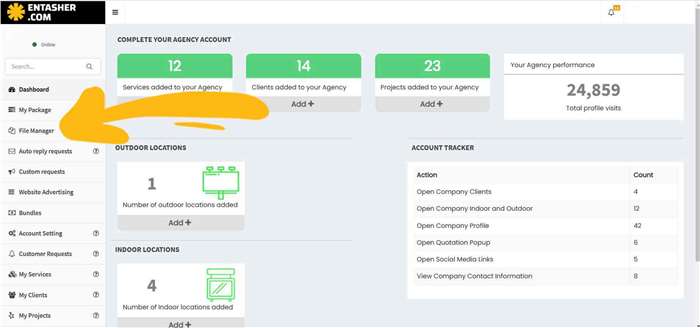
1- Sign in to your agency account then Click "Files Manager Tab "

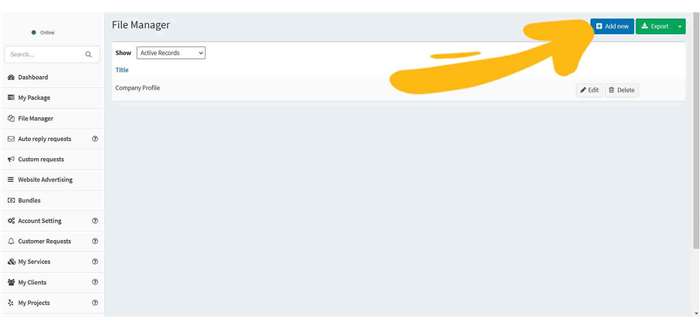
2- Click " add new "

2- Click " add new "

3- Name each file , upload the file with max 10 MB and click save
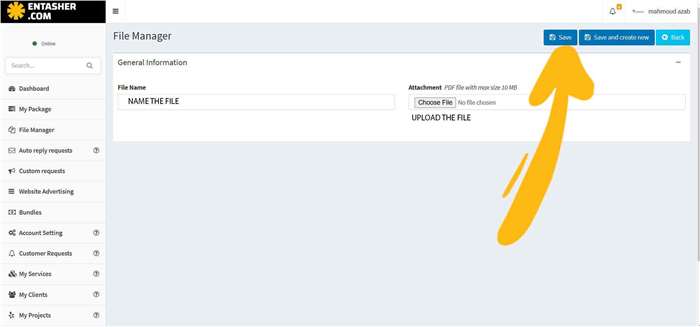
3- Name each file , upload the file with max 10 MB and click save

4- Click " Auto reply requests " Tab then " add new "
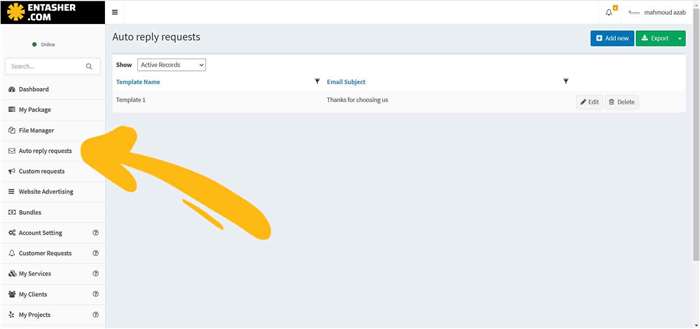
4- Click " Auto reply requests " Tab then " add new "

5-name the template, write subject and body template
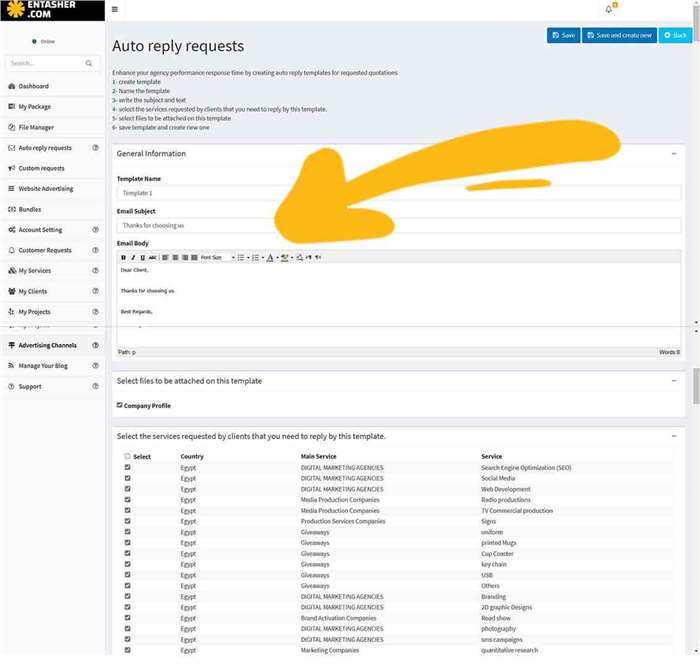
5-name the template, write subject and body template

6-select the file you want to be attached while replying to clients
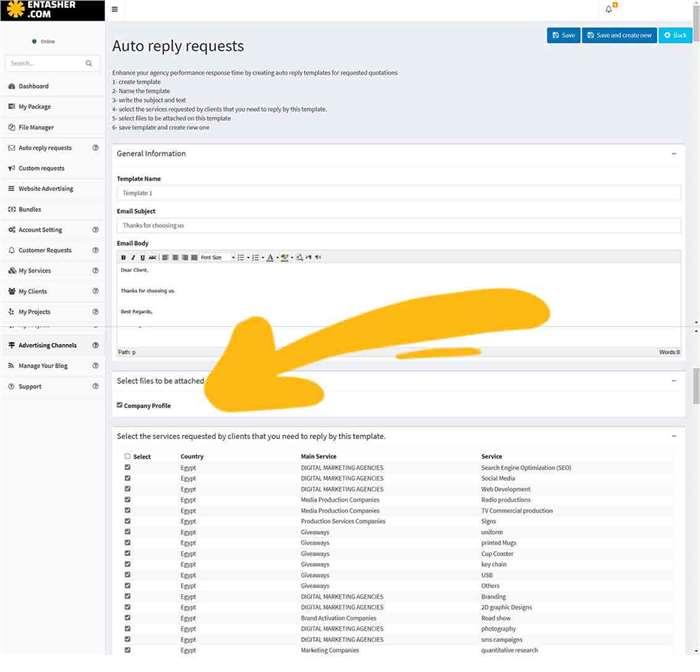
6-select the file you want to be attached while replying to clients

7-select all types of services that might be required by clients to be replied automatically with this template including the attached files, then save
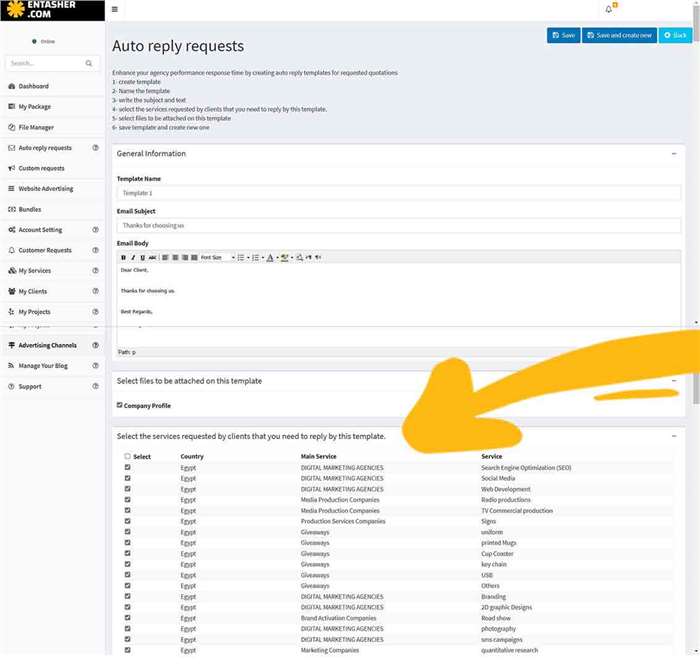
7-select all types of services that might be required by clients to be replied automatically with this template including the attached files, then save
Share:

Leave a Comment

Ready to Submit Your RFQ?

Connect with verified service providers and receive competitive quotations tailored to your needs.

Submit RFQ Now